 PropVoice

Frequently asked questions
What is the character limit per request?
Each API request supports up to 4096 characters of input text. This limit includes spaces and punctuation. For longer property descriptions, you must split the text into smaller chunks, generate audio for each part, and then join the resulting audio files together.
Which voice is best for tours?
A: For virtual property tours, aria offers a warm, clear narrator style suitable for guided walkthroughs. Atlas provides a neutral, news-like tone for straightforward listings, while milo delivers a friendly, conversational voice. You can choose any of the eight available presets.
Can I use this for commercial tours?
Yes, the API is designed for commercial use. Generated audio files are returned in the response and are not stored by the service. You pay only for the characters processed, with no monthly plans or subscriptions required. Failed requests are free, ensuring you only pay for successful outputs.
How do I split long scripts?
Split your script into parts of up to 4096 characters. Send each part as a separate POST request to the speech endpoint. Once you receive the audio files for each chunk, join them sequentially to create a complete audio file for the full property tour script.
What is the generation speed?
Generation is roughly real-time, producing about 25 characters of text per second of audio. Short phrases may take a few seconds. Requests are processed sequentially, so under load, a request may wait in a queue before synthesis begins. This speed applies to both tts-1 and tts-1-hd models.
Do I need to download audio?
The API returns the audio file directly in the response. You do not need to download it from a server later. Simply save the returned audio data to your local storage or upload it directly to your virtual tour platform. Formats include mp3, wav, opus, flac, and pcm.
Can I change speed of audio?
Yes, you can adjust the playback speed between 0.25 and 4.0 by setting the speed parameter in your request. This allows you to speed up quick walkthroughs or slow down detailed descriptions. The speed adjustment applies to the generated audio file without affecting the voice characteristics.
Is audio stored on the server?
No, generated audio is returned in the response and is not stored on the server. Only request metadata, such as time, characters, and status, is kept for billing purposes. Your input text is used only to produce the audio and is not used for training models.
What happens if request fails?
If synthesis fails, the charge is returned in full. You are not billed for failed requests. This ensures you only pay for successful audio generation. You can retry the request with the same text and parameters, or adjust the input if the failure was due to invalid data.
How do I add multiple languages?
Specify the language using an ISO code in the request. If omitted, the system guesses the language from the script, defaulting to English for Latin text. For non-English Latin-script text, always set the language parameter. Supported languages include English, Spanish, French, German, and 19 others.
Can I use my own voice?
No, custom voice cloning is not offered. You must choose from the eight preset voices: aria, nova, luna, sage, felix, milo, atlas, or orion. These voices are based on licensed recordings from LibriTTS-R and LibriVox. You cannot upload your own voice or design a custom voice.
Is there a mobile app?
No, there is no official mobile app or mobile SDK. You can use the API via any HTTP client or the OpenAI SDK by changing the base URL.
Do I need a domain?
No, you do not need a domain to use the API. You can sign up for an account and generate an API key directly. The API endpoint is hosted at api.play33bm.com.
How long does it take?
Generation is roughly real-time, averaging 25 characters per second. Short phrases may take a few seconds. Under load, requests are processed sequentially and may wait in a queue. Failed requests are free.
Can I batch process texts?
Yes, you can send multiple requests in parallel or sequence. Each request processes up to 4096 characters. Since requests are processed one after another under load, batching may introduce delays. You can manage the queue by sending requests from your application logic and joining the resulting audio files.
Is there a WordPress plugin?
No, there is no official WordPress plugin. You can integrate the API into WordPress by using custom code or a no-code tool that supports HTTP requests. Use the OpenAI SDK or plain HTTP to send text and receive audio, then embed the audio file in your posts or pages.
Do I need SSL for API?
Yes, you should use HTTPS for API requests to ensure secure transmission of your API key and data. The endpoint https://api.play33bm.com/v1 supports SSL. Using HTTPS is standard practice for API calls and ensures that your authentication token is protected during transit.
Can I cancel subscription?
There are no subscriptions or monthly plans to cancel. You pay only for the characters you use. Your balance does not expire, and you can top up with USDT on the TRON network at any time. You can also issue a new API key at any time.
How do I contact support?
Support is available by email only. There is no phone number or live chat. You can find the support email address on the contact page.
Is data used for training?
No, your input text is used only to produce the audio and is not used for training. Generated audio is returned in the response and not stored. Only request metadata, such as time, characters, and status, is kept for billing purposes. Your data remains private and secure.
Prepare your property script

To ensure your virtual property tour sounds professional, start with a script that flows naturally. Avoid complex jargon and focus on clear, descriptive language that guides viewers through the space. A well-written script sets the tone for the entire experience, making the property feel inviting and easy to navigate.
Keep each request under 4,096 characters to avoid splitting the audio unnecessarily. This ensures consistent pacing and prevents awkward pauses between generated segments. Short, focused descriptions work best for individual rooms or key features, allowing you to maintain high audio quality throughout the tour.
Write clear descriptions
Use simple, direct sentences that mimic natural speech. For example, instead of "The residence features a contemporary kitchen," try "You’ll find a modern kitchen with stainless steel appliances." This helps the TTS engine produce more human-like intonation.
Avoid excessive punctuation or complex structures that might confuse the speech synthesis engine. Stick to standard grammar and avoid rare abbreviations unless they are widely recognized.
- Use active voice for a more engaging tone.
- Break long paragraphs into shorter sentences.
- Avoid rhetorical questions or complex clauses.
Keep under 4096 chars
The API limits each request to 4,096 characters. If your script exceeds this, you must split it into parts and join the resulting audio files. Keeping scripts under this limit simplifies the process and ensures seamless playback.
Characters include spaces and punctuation. Plan your script carefully to stay within this limit, especially for detailed property descriptions. This avoids the need for post-processing to stitch multiple audio segments together.
- Count all characters, including spaces.
- Split longer scripts into logical sections.
- Test audio length to ensure smooth transitions.
Consider language tags
Even if your text is in Latin script, the API may default to English. For non-English content, always specify the language parameter to ensure accurate pronunciation. For example, use "language": "de" for German.
Without a language tag, the system guesses the language based on the script. This can lead to mispronunciations if the text contains words from multiple languages or uses non-English idioms.
- Explicitly set the
languageparameter for non-English scripts. - Use ISO codes like
"en","de", or"fr". - Check the list of 23 supported languages before generating audio.
Choose the right voice

Selecting the correct voice preset defines the listener's experience in a virtual property tour. PropVoice offers eight distinct presets, each tailored to specific narrative roles within real estate presentations.
Warm narrator for tours
Aria provides a warm, clear narration style ideal for general walkthroughs. Her tone invites potential buyers to imagine living in the space without feeling rushed.
- Aria: Warm, clear narrator
Clear instructions for guides
Sage offers a calm, instructional tone perfect for technical guides or feature highlights. Milo brings a friendly, conversational quality for casual tours.
Nova delivers a bright, upbeat energy suitable for modern, high-energy property showcases. Luna adds a soft, storytelling aspect for historical or heritage homes.
- Sage: Calm, instructional
- Milo: Friendly, conversational
- Nova: Bright, upbeat
- Luna: Soft, storytelling
Neutral tone for facts
Atlas provides a neutral, news-like delivery for listing facts, prices, and specifications. Orion offers a deep, documentary style for premium or luxury property highlights.
Felix adds energetic emphasis for promotional segments or call-to-action endings. Each voice is based on licensed recordings, ensuring consistent audio quality.
- Atlas: Neutral, news
- Orion: Deep, documentary
- Felix: Energetic, promo
Send request via API

To generate audio, send a JSON payload to the POST https://api.play33bm.com/v1/audio/speech endpoint. This endpoint mirrors the OpenAI speech structure, allowing you to use standard HTTP clients or the OpenAI SDK by adjusting the base URL. You provide the text, selected voice, and desired output format in a single request.
Use POST endpoint
Send your property description as the input field within the JSON body. Ensure the text stays under 4096 characters per request. If your script exceeds this limit, split it into segments and concatenate the resulting audio files later.
- Endpoint:
POST https://api.play33bm.com/v1/audio/speech - Method: POST
- Body: JSON with
model,input,voice,response_format
Include API key
Authenticate every request using your unique API key found on your dashboard. Include it in the HTTP header as Authorization: Bearer tts-.... Each account holds one active key; issuing a new one immediately invalidates the previous one.
Specify format
Define the response_format in your request to receive the audio in your preferred codec. Supported formats include mp3, wav, opus, flac, and pcm. The API returns the audio file directly in the response, ready for immediate download or playback in your virtual tour player.
- Supported formats: mp3, wav, opus, flac, pcm
- Returns audio file directly in response
- No storage needed on our servers
Handle response audio

The API response contains the generated audio file directly, eliminating the need for intermediate storage or file management. You receive the binary data instantly, ready for immediate playback in your virtual tour interface.
No persistent storage is required on your end. Since the audio is returned in the response and not stored by the service, you can download it for local use within your tour builder.
Download MP3 or WAV
Specify your preferred response_format (mp3, wav, opus, flac, or pcm) in the request body. The API returns the audio file in the requested format, ensuring compatibility with standard virtual tour players and media libraries.
- MP3 for small file sizes and broad compatibility
- WAV for high-quality, uncompressed audio
- Opus for efficient compression with low bandwidth
No storage needed
Generated audio files are returned in the response and not stored by the service. This reduces your infrastructure costs and simplifies the workflow, as you only need to handle the temporary audio data for playback.
Use in tour player
Embed the audio directly into your no-code tour builder. Most virtual tour platforms support standard HTML5 audio players, allowing you to sync the generated narration with 360-degree images or video tours seamlessly.
Multi-language tours

Virtual property tours often target international buyers, requiring clear audio in multiple languages. Our API allows you to generate localized audio files by simply adding a language parameter to your request. This ensures that property descriptions sound natural to native speakers, enhancing the user experience for global audiences without needing separate voice actors for each region.
Set language parameter
Include the language field in your JSON body with the ISO code (e.g., "de" for German). This overrides automatic detection, ensuring consistent pronunciation even if the text contains mixed scripts. For non-English Latin text, always set this explicitly to avoid default English pronunciation.
- Use ISO 639-1 codes (e.g.,
"es","fr") - Overrides script-based guessing
- Ensures consistent accent
23 languages supported
The API supports 23 languages, covering major real estate markets including Arabic, Chinese, Danish, Dutch, English, Finnish, French, German, Greek, Hebrew, Hindi, Italian, Japanese, Korean, Malay, Norwegian, Polish, Portuguese, Russian, Spanish, Swahili, Swedish, and Turkish. Any voice preset can speak any of these languages fluently.
- Arabic, Chinese, Danish, Dutch, English
- Finnish, French, German, Greek, Hebrew
- Hindi, Italian, Japanese, Korean, Malay
- Norwegian, Polish, Portuguese, Russian, Spanish
- Swahili, Swedish, Turkish
Auto-detect Latin text
If you omit the language field, the system guesses the language from the script. Latin script defaults to English. This works well for standard English descriptions but may mispronounce other Latin-based languages like French or Spanish, so always specify language for non-English content.
Optimize for performance

Performance hinges on respecting API constraints. Text exceeding 4096 characters must be split into smaller segments and reassembled, as each request generates a separate audio file. This ensures reliable delivery without truncation errors.
Rate limits vary by account status. New keys start at 10 requests per minute, increasing to 60 after a top-up. Understanding these limits prevents wasted credits and ensures smooth tour generation workflows.
Split long texts
Divide scripts into chunks under 4096 characters. Since spaces and punctuation count as characters, concise writing maximizes content per request. Use a simple script to split your text, send each part, and concatenate the resulting audio files for a seamless tour narration.
This method works with all voices, including fast-paced options like Felix or Nova, though processing time scales with total character count.
- Max 4096 characters per request
- Spaces and punctuation count as characters
- Concatenate returned audio files
Manage rate limits
Your API key allows 60 requests per minute after funding. Before the first top-up, the limit is 10 requests per minute. Exceeding this delays processing.
Use the /v1/voices endpoint to verify available voices and formats. Failed requests are free, so retrying immediately after a limit error is cost-effective.
- 60 requests/minute after top-up
- 10 requests/minute initially
- Failed requests are free
Queue processing
Requests are processed sequentially. Under load, a request may wait in a queue, delaying response time. For large tours, stagger requests slightly to avoid bottlenecks.
Typical speed is roughly real-time (25 characters per second), but short phrases may take a few seconds due to initialization overhead.
- Requests processed one after another
- Queue delays possible under load
- No streaming or WebSocket support
Quality check audio

Before embedding audio in your virtual tour, listen to the generated files to ensure the narration flows naturally. Verify that the voice clarity is sufficient for both desktop and mobile playback environments, ensuring no artifacts distort the property descriptions.
Adjust the speed parameter between 0.25 and 4.0 to match the pacing of your visual walkthroughs. Faster speeds work well for quick feature lists, while slower rates enhance storytelling for luxury home highlights.
Listen for clarity
Play the audio through standard tour speakers to verify intelligibility. Synthetic speech carries an inaudible watermark, but visual clarity remains key for user experience.
- Test on mobile devices common for virtual tours
- Check for consistent volume levels across segments
Check speed settings
Use the speed parameter to fine-tune delivery. Standard speed (1.0) approximates real-time generation, while adjustments can compress longer scripts into shorter tour segments.
- 0.25–0.75 for detailed architectural descriptions
- 1.5–2.0 for rapid feature highlights
Verify language accuracy
Ensure the selected voice matches the target language. If the language field is omitted, Latin script defaults to English, which may cause errors for other languages.
- Explicitly set language codes for non-English tours
- Verify 23 supported languages match your market
Integrate with tour builder

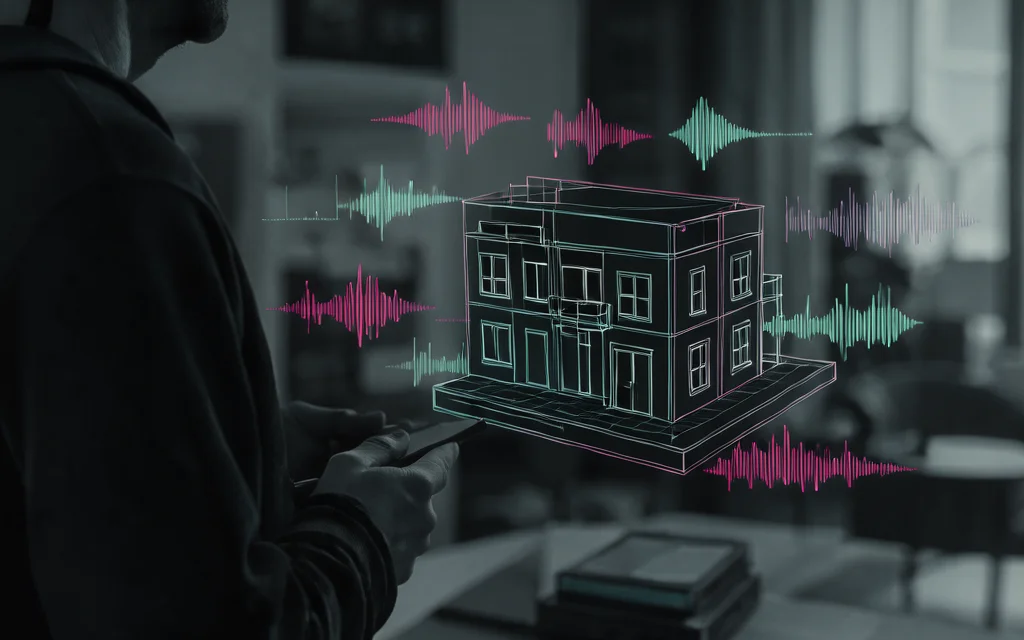
PropVoice audio files integrate seamlessly into no-code virtual tour platforms. Since the API returns standard audio formats, you can upload the generated MP3 or WAV directly to your tour builder’s media library without complex conversions.
This workflow allows creators to replace static text descriptions with guided audio walkthroughs, enhancing user engagement in property listings.
Embed audio player
Most no-code tour builders support standard HTML5 audio elements. You can embed the generated audio file by linking to the downloaded MP3 or WAV asset within your platform’s media settings.
The audio plays directly in the browser, requiring no additional plugins or external dependencies for standard playback.
- Supports MP3, WAV, Opus, FLAC, and PCM formats
- Standard HTML5 audio tag compatibility
- No proprietary player required
Sync with images
Align audio segments with specific property images by setting trigger points in your tour builder. When a user views a room, the corresponding audio guide starts automatically.
This synchronization creates a cohesive narrative experience, guiding viewers through the property as they navigate from one view to another.
- Trigger audio on image view
- Pause/resume based on user navigation
- Maintain narrative flow across slides
No coding required
No-code platforms or specialized real estate tour builders allow you to upload the audio files and set triggers visually.
You do not need to write JavaScript or manage API calls during the tour playback; the audio is treated as a static media asset.
- Visual trigger configuration
- Drag-and-drop media upload
- No JavaScript knowledge needed
Common pitfalls

Virtual property scripts often exceed the 4096-character limit per request. If you send a full house description in one call, the API will truncate the text, resulting in incomplete audio guides. You must split long scripts into smaller segments and concatenate the output files.
Ignoring character limits
The API enforces a strict 4096-character limit per request. Exceeding this causes silent truncation or errors, leaving your tour audio with missing property details. Always segment your script to stay within this boundary.
- Limit each API request to 4096 characters, including spaces and punctuation.
- Concatenate multiple audio files if the property description is longer than the limit.
Missing language tags
The system guesses the language from the script, defaulting to English for Latin text. If your script is in French or German but uses Latin characters, it may generate English audio. Always explicitly set the language parameter to ensure accurate pronunciation.
- Set the
languageparameter for non-English Latin-script texts (e.g., French, German). - Verify supported languages: Arabic, Chinese, Danish, Dutch, English, Finnish, French, German, Greek, Hebrew, Hindi, Italian, Japanese, Korean, Malay, Norwegian, Polish, Portuguese, Russian, Spanish, Swahili, Swedish, Turkish.
Rate limit exceeded
New accounts start with a limit of 10 requests per minute. If you generate audio for multiple rooms quickly, you may hit this cap. Top up with USDT to increase the limit to 60 requests per minute.
- New accounts are limited to 10 requests per minute.
- Top up with USDT (TRC-20) to increase the limit to 60 requests per minute.
Cost management

Understanding character consumption is essential for budgeting virtual tour audio. Since spaces and punctuation count toward the 4096-character limit per request, precise script editing prevents unnecessary costs. The standard rate is $10 per 1 million characters, making it critical to monitor usage to avoid unexpected charges.
Track character usage
Monitor your dashboard to see exactly how many characters have been processed. Each request consumes characters based on the input text length, including all spaces and punctuation marks.
Use free trial wisely
Google sign-ups receive $0.50 in trial credit, valid for 7 days. This covers approximately 50,000 characters. Use this period to test voice quality and endpoint reliability before committing to larger purchases.
Top up with USDT
Add funds via USDT on the TRON network (TRC-20). Minimum top-up is $5, and credits are added automatically within minutes. This method supports high-volume tours without monthly subscription constraints or credit card fees.
Support and troubleshooting

When technical issues arise, support is available exclusively via email. There is no live chat or phone number to call for immediate assistance. Expect responses through written correspondence rather than real-time conversation.
For quick answers, consult the documentation before reaching out. The docs cover endpoint structures, error codes, and integration examples, which resolve most common setup questions without needing human intervention.
Email support only
Our support team handles all inquiries via email. This single channel ensures detailed records of your specific issue. There are no phone numbers or instant messaging apps to manage for assistance.
Check documentation
The documentation provides precise details on the API base URL and request formats. Reviewing the examples for POST /v1/audio/speech often resolves syntax errors before you contact support.
- Endpoint specifications
- Request body examples
- Error code explanations
Verify API key
Most connection errors stem from an invalid or expired API key. Ensure your key starts with tts- and is active in your account dashboard. Generate a new key if the old one was revoked.
- Check key prefix
- Regenerate if needed
- Verify account balance
Future enhancements

Current capabilities focus on static audio generation via API requests. We do not offer real-time streaming, meaning users receive the complete file after processing rather than listening while it generates. This ensures high fidelity but requires waiting for the full synthesis to complete.
No voice cloning yet
The API uses eight preset voices based on licensed recordings. We do not offer custom voice cloning, so you cannot upload a sample to create a unique narrator for your brand.
- Voices are fixed presets (e.g., Aria, Felix)
- No uploading of personal voice samples
- Consistent audio style across all tours
No SSML support
The endpoint accepts plain text input. There is no support for SSML tags to control pauses, emphasis, or pronunciation, so you cannot fine-tune delivery beyond adjusting the global speed.
No streaming audio
Audio is returned as a complete file (MP3, WAV, etc.) rather than streamed in chunks. This simplifies integration for no-code builders but means the user must wait for the request to finish before playback starts.
Listen to the 8 voices
Each sample below was generated by this API from the same sentence. Explore every room in stunning detail with our easy virtual tours designed for no-code creators.


23 languages
Any voice speaks any of these languages.
Sources and further reading
- Wikipedia
- LibriTTS-R paper (arXiv 2305.18802)
- MDN: Web Speech API
- TRON developer hub: TRC-20
- LibriTTS-R corpus (OpenSLR 141)
- IETF RFC 7845: Ogg Opus
- openai-node on GitHub
- curl documentation
- W3C WAI: making audio and video accessible
- OpenAI API reference: create speech
- Creative Commons Attribution 4.0
- LibriVox public-domain audiobooks